 DaisyTasks
See what needs you, at a glance.
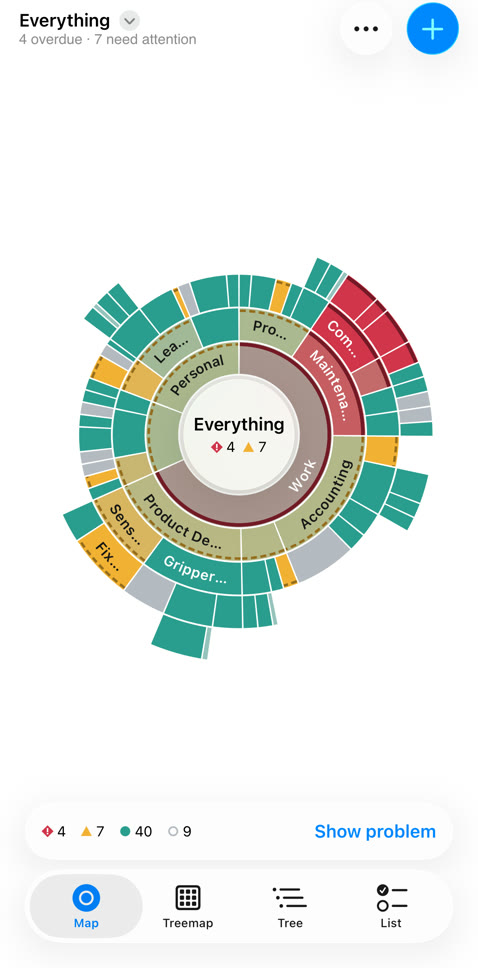
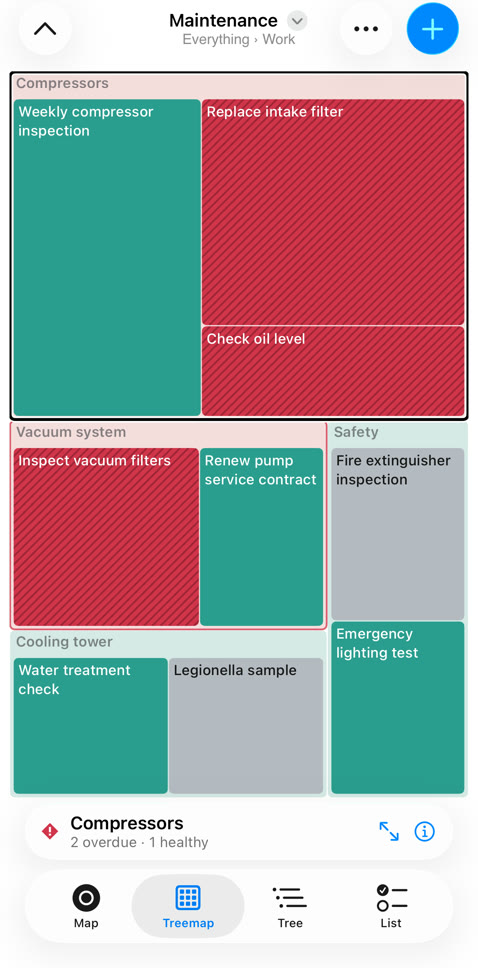
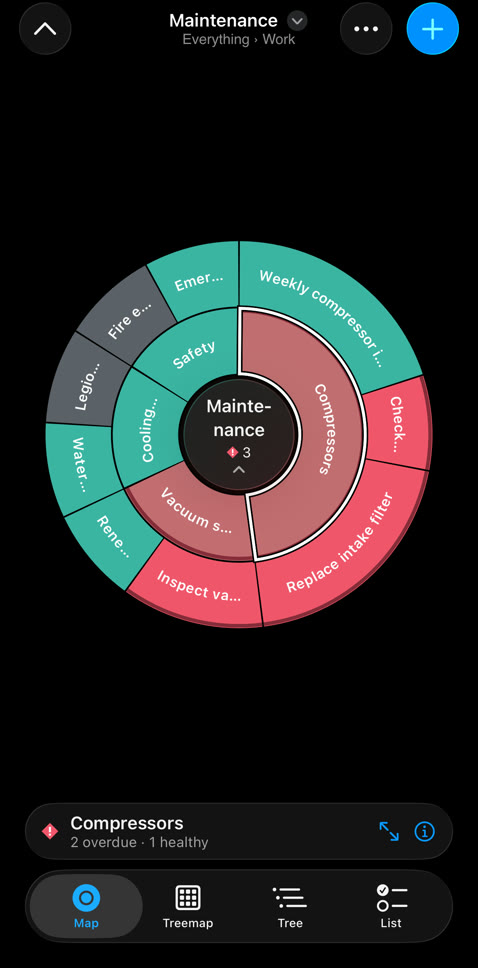
DaisyTasks shows all your tasks, from work projects to home chores, as one living map. Red is overdue, amber needs attention, teal is fine. Tap a segment to zoom in.

A map, not a list
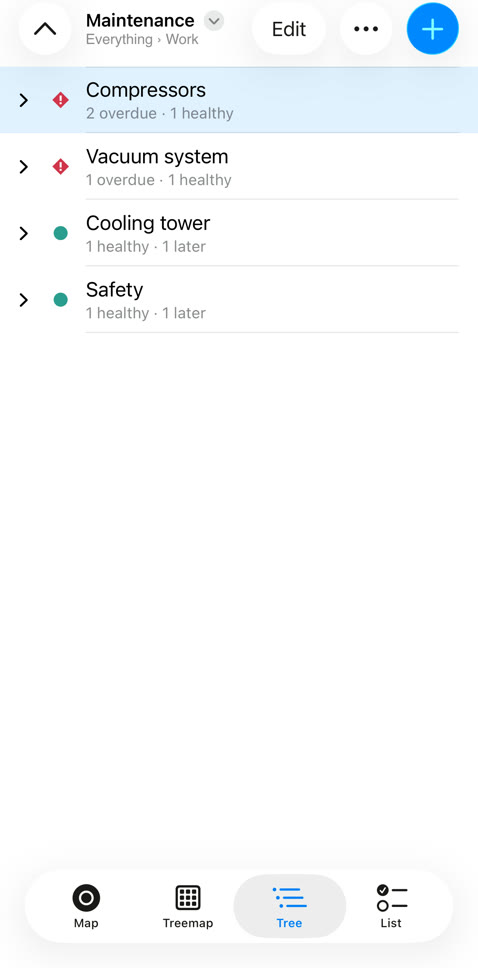
Lists hide the big picture. DaisyTasks keeps your tasks in a tree (areas, projects, tasks) and shows where the problems are before you open anything.
Health at a glance
Every task, project and area is colored by what's overdue or coming up, rolled up the tree.
Four ways to look
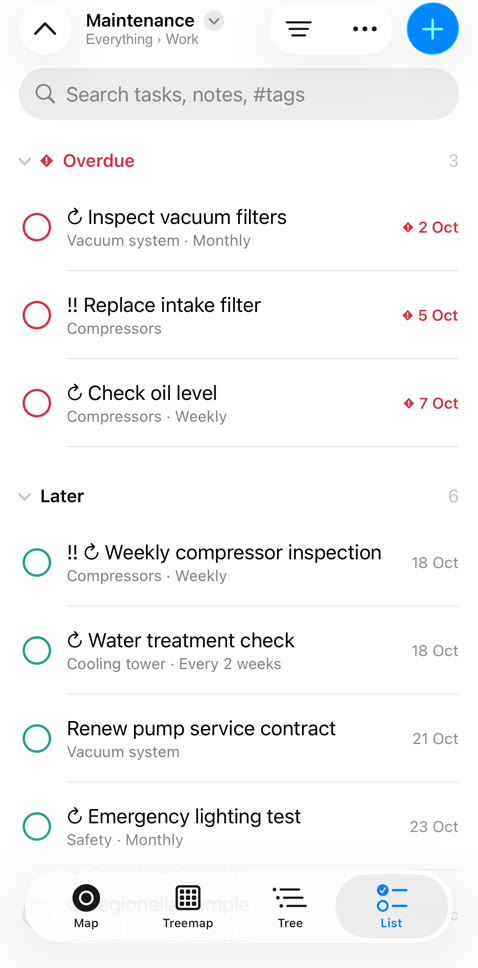
Radial map, treemap, outline and a classic list grouped by due date, project, tag or device.
Recurring done right
Daily, weekly, every 3 days, the last Friday of the month. Completions are kept, so you see the streaks.
Local first
Everything lives on your device and works offline. Sync is optional.
Sync that can't read your tasks
Your devices encrypt every change before it leaves them. The sync server only stores encrypted blobs: it has no account, no email and no key, so there's nothing to read, sell or leak.
No account
Turning on sync creates a random sync code on your device. That code, plus an optional password, is the only key.
Link with a QR code
Scan the code from your other phone, tablet or Mac. Each device holds the key; the server never does.
End-to-end encrypted
AES-256-GCM with keys derived on your devices. A stolen server, or a backup of it, is useless without your code.
Yours to leave
Delete your data from the server in one tap, or run your own sync server: the apps work with any.
Pricing
The app is free, with no limits. Pay only if you want us to run sync for you.
DaisyTasks
- All views and features
- Unlimited tasks
- Export and import
- Sync with your own server
DaisyTasks Sync
- All your devices in sync
- Changes appear in seconds
- Encrypted on your devices
- Cancel any time
Subscribe from the app: Sync → Subscription. No account needed.
Get DaisyTasks
For iPhone, iPad, Mac and Android.
iPhone, iPad and Mac
App Store — coming soon.
Android
Google Play — coming soon.